

meta data for this page
Copy Commands and Values
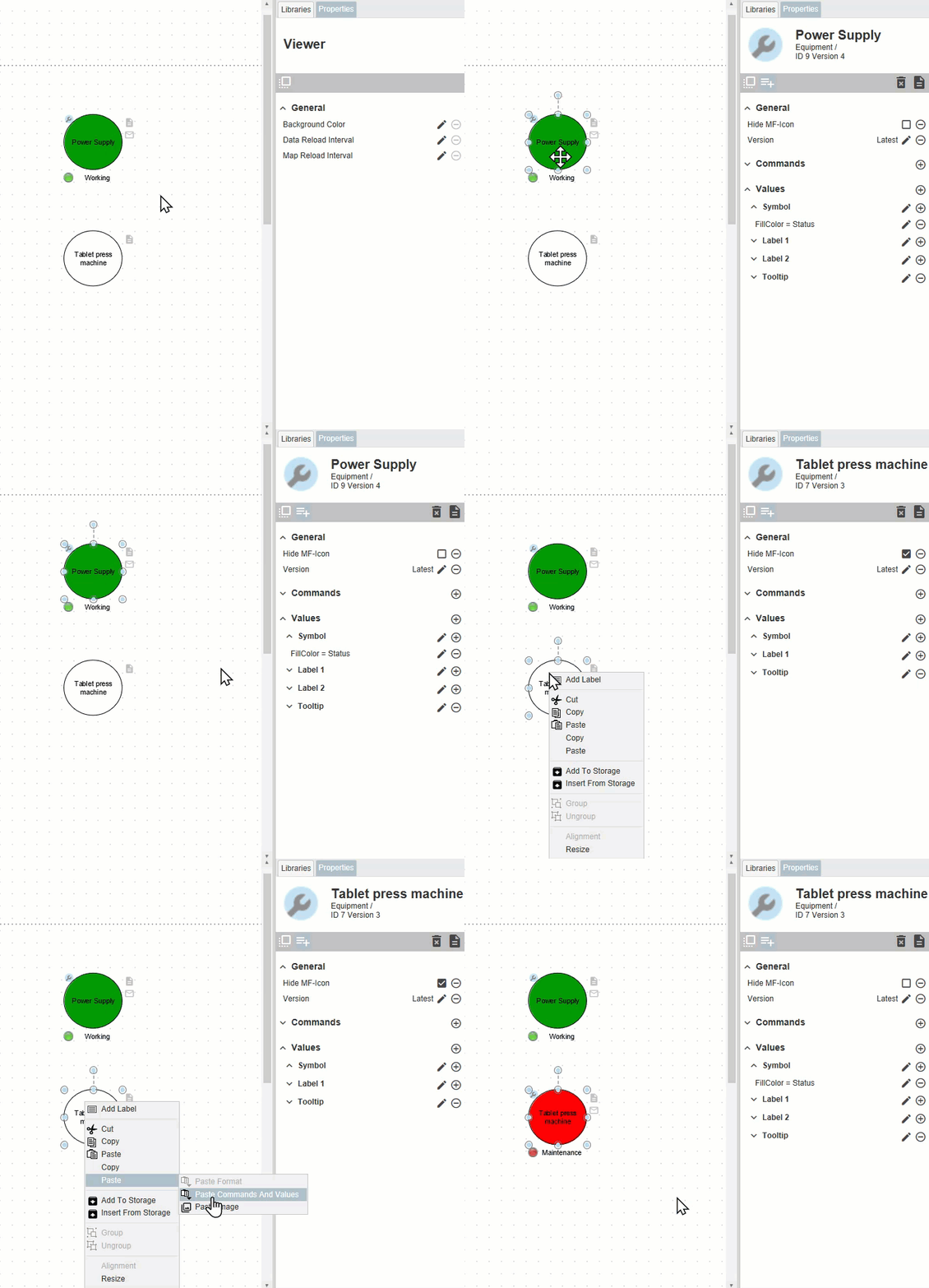
The Copy and Paste Commands and Values function can save a lot of time creating your maps:
- By right-clicking on an element with a linked object and clicking on
Copy>Copy Commands And Valuesyou can transfer all format properties, commands and values to the clipboard. - Paste these attributes to another element by clicking on
Paste>Paste Commands and Valuesin the context menu.
Think about a presentation containing several elements e.g. a traffic light, which should all have the same attributes, e.g. coloring by status.
We recommend that you save more complex structures permanently in the storage (see Re-Using Elements). This way you can easily apply them to new maps and transfer the Command and Value entries to all other elements using Copy Commands and Values.
Please note that the copy function overwrites the commands and values of the target element. They are not added.